Curious about Pro? Try everything free for 14 days - no card, no commitment.Start 14-Day Free Trial
Mission Control for Your Classroom.
The #1 Gamified Classroom Management Tool for Teachers
A gamified classroom management dashboard for Years 5 to 10. Timer, random name picker, group maker, seating chart, whiteboard, noise monitor and scoreboard, plus XP, Boss Battles and 8 training games (4 free), all in one browser tab. Free to start, with no student accounts.
One tab for the timer. Another for random names. The seating plan is a PDF buried somewhere. A whiteboard in a fifth. Meanwhile the noise is climbing and you're about to lose the room.
Class Cortex replaces all of it. One tab, everything running simultaneously, ready before the bell.
Built by a Digital Tech teacher. For the rooms that need it most.
14 years across primary and secondary. This is the tool I couldn't find, so I built it.
🗂️
Replace the tab jungle
One tab runs your timer, noise monitor, seating map, student picker, scoreboard, Boss Battle, training games, and whiteboard simultaneously. Stop alt-tabbing.
🔊
Behaviour manages itself
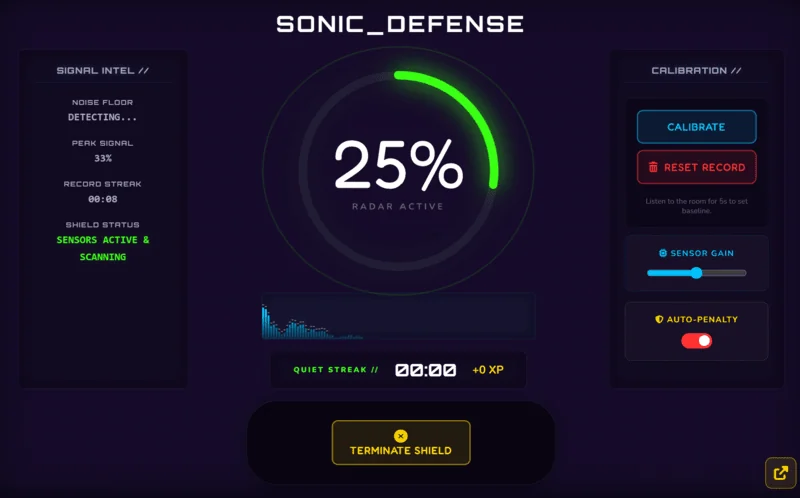
The Sonic Defence Engine listens to your room. When noise crosses the threshold it fires - visual alarm, audio cue, Quiet Streak XP. On Pro, XP deducts from the class scoreboard automatically. You don't have to say a word. The board says it for you.
🎮
Engagement that works
27 themes from Cyber Cortex to The Matrix to Vaporwave. Mission control aesthetic. It doesn't look like a kindergarten app and it doesn't look like corporate software.
Up and running before the bell.
Step 1
Open classcortex.com/app in Chrome on your smartboard. No download. No install. No account. Data stays locally on your device.
Step 2
Add your class roster in Settings. Name your squads. Set your weekly XP goal to establish your classroom baseline.
Step 3
Pick your first tactical tool. Hit the board. Watch the room completely change its dynamic.
Everything you need. Nothing you don't.
Live Multiplayer Boss Battles
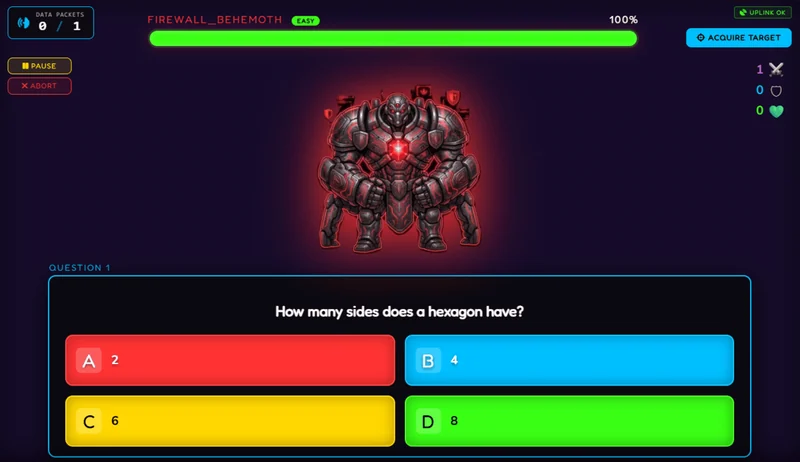
Students join at classcortex.com/join via QR code. No app. No account. You reveal a question. They answer on their own devices. Right answers deal damage and the class wins together. Run up to 5 questions per battle free (20 on Pro), and save question sets in the Payload Vault to reuse them in any class.
Calibrate it to your room's baseline. When noise crosses the line it fires - visual alarm and audio cue. The Quiet Streak tracker awards bonus XP every 30 seconds the room stays quiet. Students compete to keep it going.
Pro users enable Noise Auto-Penalty mode so XP deducts from the class scoreboard automatically - completely hands-free while you teach.
[PRO] Noise Auto-Penalty
Drag-and-Drop Seating
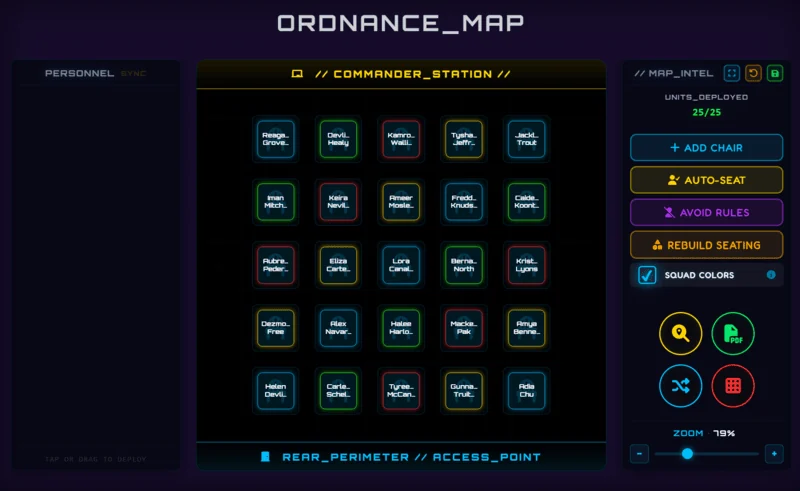
Build your seating map from your class roster. Drag students between seats between periods. Eliminate messy hand-drawn charts forever. Pro users can export it instantly as a PDF for relief teachers, admin, or evacuation procedures, and set Conflict-Avoid Rules so students who shouldn't share a group are never seated together by Shuffle or Auto-Seat.
[PRO] PDF Export · Conflict-Avoid Rules
8 Classroom Mini-Games
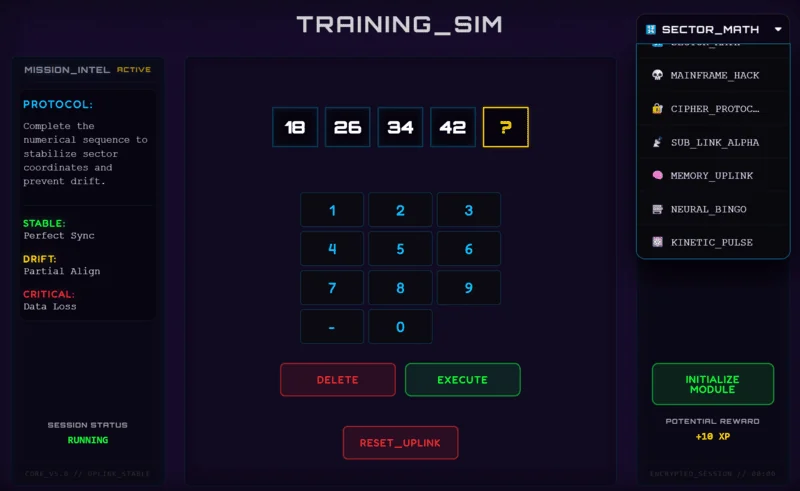
No Kahoot tab. No external site. Games that run natively inside Class Cortex. Most award +10 class XP automatically when students complete them; the two Pro games Neural Bingo and Kinetic Pulse are awarded manually.
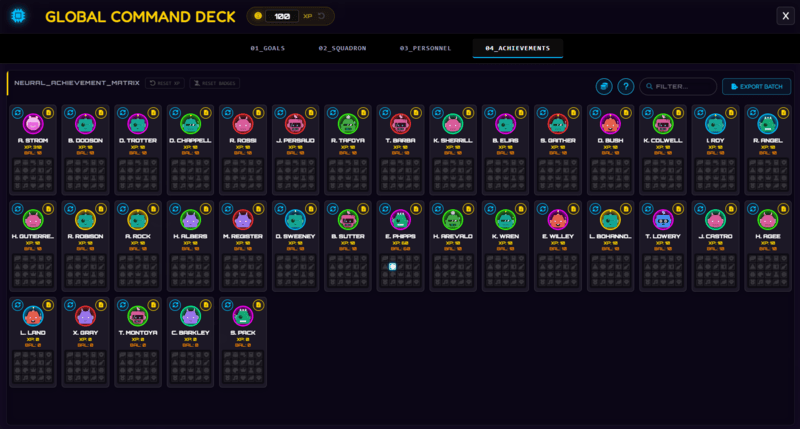
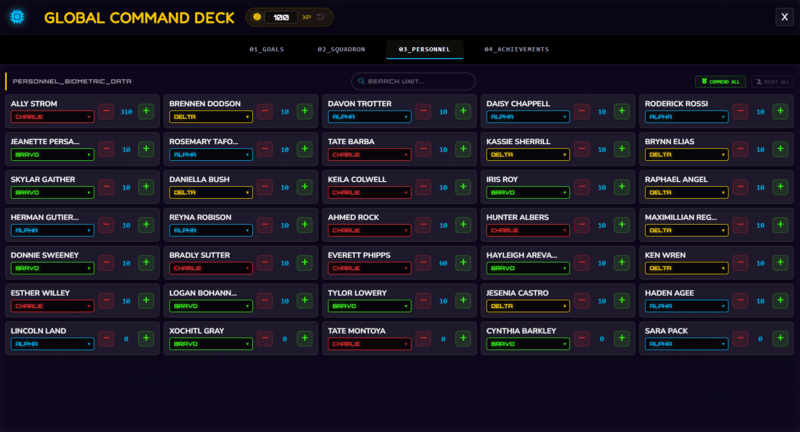
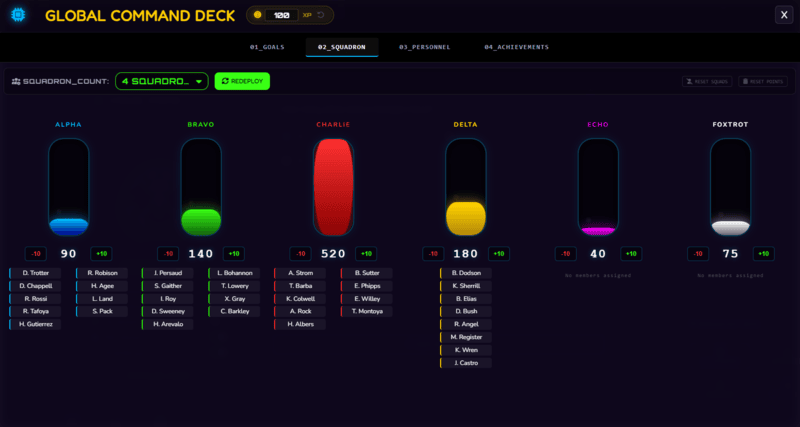
Every student has individual XP and HP. Split each class into 2 to 6 squads (ALPHA through FOXTROT), each with its own XP bar. Every point you award a student also lifts their squad and the class total.
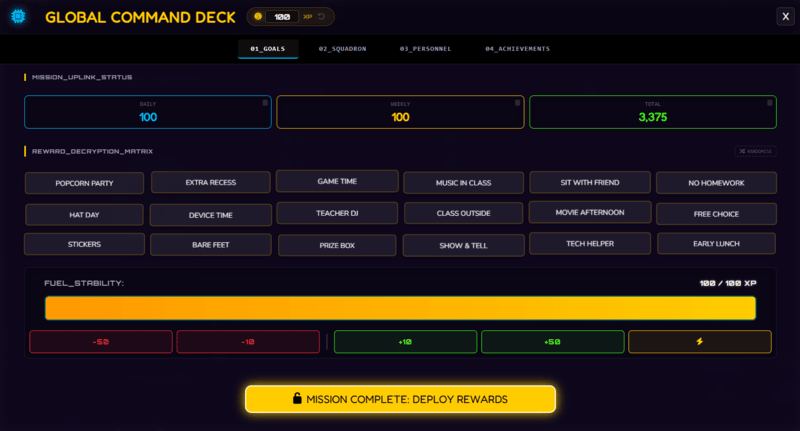
Set a Weekly XP Target and the Reward Gacha unlocks a class-wide prize draw when you hit it. A Supply Airdrop drops random bonus XP a few times a week, and CC-Achieve badges reward milestones.
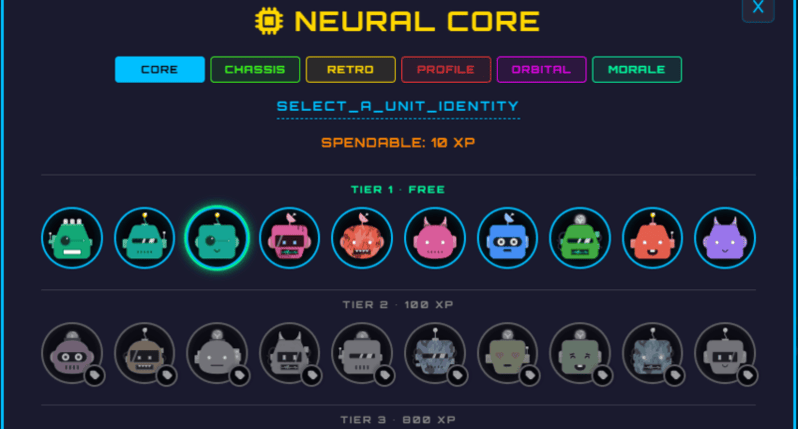
Students can spend their own earned XP on avatars in the Neural Core Economy: the first row is free for everyone, and everything else costs XP that you price yourself.
All data persists flawlessly between sessions, per class slot.
[PRO] 5 Avatar Categories · XP x2 & Squad Airdrops
A Full Tactical Whiteboard
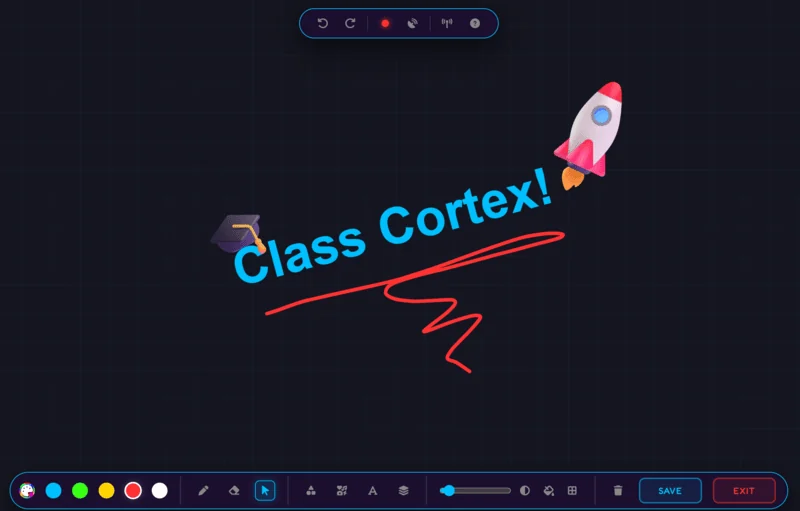
Pen, eraser, shapes, fill bucket, text, laser pointer, zoom/pan, undo/redo. Dark and light mode. Grid toggle. Features a Live Mission HUD overlay displaying your active class name and core objectives. Export the board directly as a PNG.
Go live with the whole class on the same board in real time - students join by room code, no accounts needed, and everyone's drawing syncs instantly. Drop in ready-made templates - Think-Pair-Share and a Venn Diagram are free; Mindmap, KWL Chart, Kanban Board, and Reflection Table are Pro.
[PRO] Elite Shape & Sticker Library
[PRO] Live Whiteboard Collaboration
Ten Tools. One Tab.
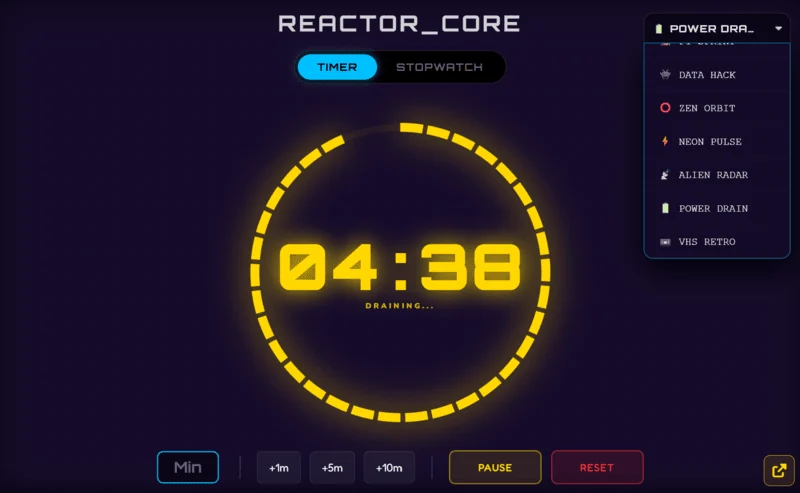
⏱️Arc & Detonator Timers
Countdown modes built for classroom pressure
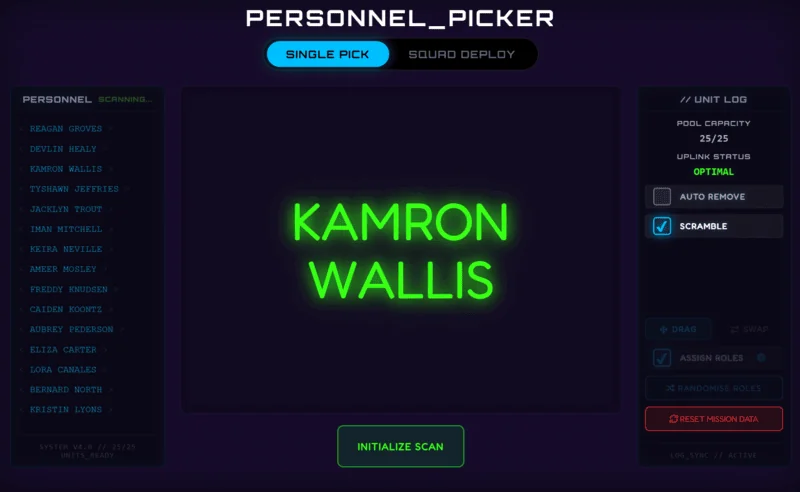
🎯Student Picker
Random selection, no repeats until the roster is empty, with Picker Exempt for students who dread cold calls
🔊Noise Monitor
Live volume tracking with visual alarm and Quiet Streak XP (free); automatic XP deduction on Pro
🎲Quantum Core
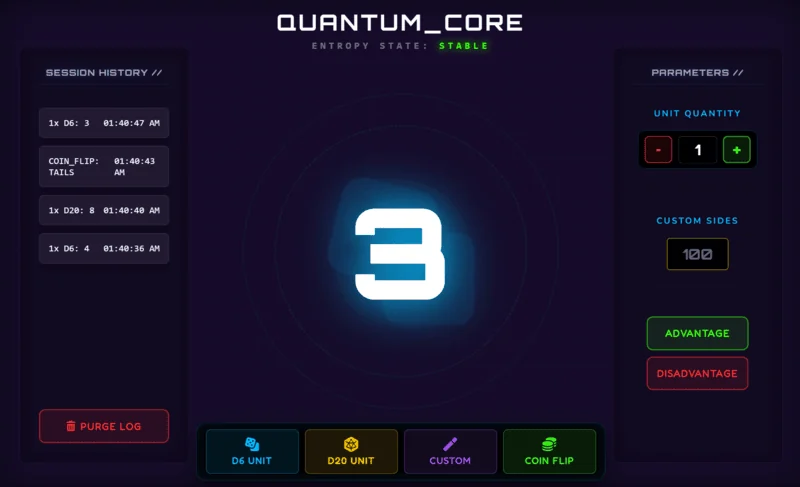
Quantum dice roller - D6, D20, custom dice up to 10,000 sides, coin flip, advantage/disadvantage, multi-roll with auto-total
🆚Tactical Scoreboard
Two-team match scoring with round log and match timer
💺Ordnance Seating Map
Drag and drop seating with PDF export for relief teachers and Pro conflict-avoid rules
🧠Training Sim
8 built-in mini-games where students earn XP - includes Sub Link Alpha, Memory Uplink, Kinetic Pulse, and Neural Bingo
⚔️Boss Battle
Live P2P multiplayer, whole class connects from their own devices, with a reusable Payload Vault of question sets
🖊️Tactical Whiteboard
Full canvas with pen, eraser, shapes, stickers, text, fill tool, grid, unlimited undo/redo, live multi-student collaboration, and ready-made templates
🏆Command Deck
XP and HP per student, 2 to 6 squads, Weekly XP Target with Reward Gacha, Supply Airdrop, achievements, and the Neural Core avatar economy in one panel
Any Widget. Floating. Wherever you need.
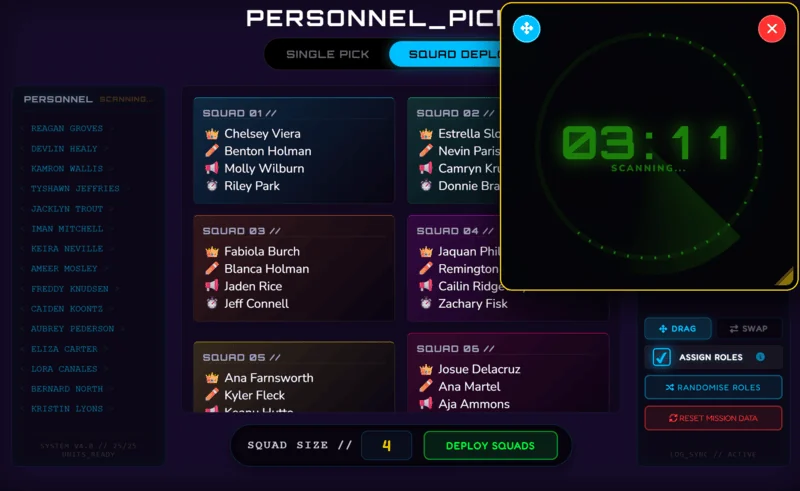
Pro users can detach any widget as a floating, resizable window that overlays your active tools. Keep the countdown timer running seamlessly on top of your whiteboard, or lock the noise meter in the corner while the scoreboard is live. Build the perfect custom layout for every lesson, all within one tab.
[PRO] Picture-in-Picture
🔒Zero student data. Ever. By design.
Class Cortex doesn't have a student database because it was never built with one. Your class rosters, XP scores, seating maps, and session history live entirely in your browser's local storage - on your device, under your control. That student data is never transmitted to our servers.
✅ COPPA-Aligned Design✅ GDPR-Aligned Design✅ No Student Login Required
*Instant compliance with school privacy policies. No IT department approval required.
Upgrade Your Classroom.
How Class Cortex stacks up against the tools you already know.
"My Year 9s were silent for three consecutive minutes on a Friday afternoon. The Quiet Streak counter was ticking up and they didn't want to break it. I've been teaching for eleven years. That has never happened."
- Sarah M., Secondary Science, QLD
★★★★★
"When ClassCraft shut down I thought I'd never find something as engaging. Class Cortex has everything ClassCraft had - XP, HP, Boss Battles, squad teams - plus a noise monitor and a full whiteboard. I actually prefer it."
- James K., Year 7-9 Humanities, NZ
★★★★★
"I forwarded it to our Head of Department the same afternoon I found it. No student logins, no data on servers, runs straight from the browser - she approved the department licence the next day without needing IT."
- Michelle T., Digital Tech HOD, VIC
Mission Intel.
Classroom ideas, tool comparisons, and gamification strategies.
Class Cortex is a free gamified classroom management dashboard that runs in one browser tab. It brings XP and HP tracking, squads, live Boss Battles, a noise monitor, a seating map, a whiteboard, a timer, a student picker and 8 training games together for Years 5 to 10, with no student accounts and all class data kept in your browser.
No. For Boss Battles, students go to classcortex.com/join and enter the room code. For live whiteboard collaboration, they go to classcortex.com/whiteboard instead. Either way: no account, no email, no app download. When they close the tab, they're gone.
Yes. Open Chrome on whatever computer is connected to your smartboard and go to classcortex.com/app. No software to install. No hardware required. For older interactive panels or smart TVs that feel laggy, turn on Performance Mode in Settings, then Themes.
No student data is ever sent to our servers. All class rosters, XP scores, and session history stay strictly in your browser's local storage. Built with COPPA and GDPR principles in mind. No IT approval needed.
Classroomscreen is a great widget board. Class Cortex adds a full gamification layer - XP, HP, Boss Battles, squad XP, achievement badges - on top of all the same utility tools, plus a full whiteboard, seating map, and 8 training games.
Yes. The free tier is permanent, not a trial: one class of up to 30 students with XP and HP tracking, squads, the Weekly XP Target and Reward Gacha, Supply Airdrop, the noise monitor (visual alarm and Quiet Streak XP), the seating map, whiteboard, student picker, 4 training games, and Boss Battles with 2 boss types and up to 5 questions. Pro is AUD $49 per year, and there is a 14-day Pro trial with no credit card.
Only for Boss Battles and live whiteboard collaboration, where students join on a school laptop, iPad or tablet by scanning a QR code or entering the room code, with no account. Everything else runs on the teacher's screen. Boss Battle connects devices directly over Wi-Fi, so if students cannot connect at school, ask IT to allow UDP ports 3478 and 5349.
TeachQuest and ClassMana are fantasy RPG-style tools built around student profiles and avatars. TeachQuest students log in with teacher-managed codes and their gameplay data is stored on TeachQuest's servers, and ClassMana's instant tools work without accounts but its full Class Adventure system asks students to create them. Class Cortex needs no student accounts, keeps data in your browser, and adds a seating map and a full whiteboard with live collaboration, but it has no pets, quests or spells. TeachQuest does include a noise tracker and a basic whiteboard widget.
Class Cortex is the best free tool for gamified classroom management in 2026. It includes persistent XP and HP tracking, live multiplayer Boss Battles, squad team competition, a Sonic Defence noise monitor (visual alarm and Quiet Streak XP free; automatic XP deduction on Pro), 8 training games, drag-and-drop seating map, a tactical whiteboard with ready-made templates (live multi-student collaboration on Pro), countdown timer, and random student picker - all in one browser tab. No student accounts required. No software to install.
Yes. Class Cortex has the XP, HP, Boss Battles, squad teams, and achievement badges that ClassCraft users loved - plus a noise monitor, seating map, whiteboard, and 8 training games that ClassCraft never had. It does not have ClassCraft's pets, quests or spells, so if that fantasy layer mattered most to you, TeachQuest and ClassMana are closer to it. And it won't shut down on you.
We use analytics cookies to understand how teachers find Class Cortex. No advertising. No student data. Learn more
Privacy Policy
Last updated: September 2026
Student data
Class Cortex does not collect, process, or store any personally identifiable information (PII) from students. Student names entered into class rosters, XP scores, seating maps, and session history are stored exclusively in your browser's localStorage and are never transmitted to our servers.
Trial and licence signup
If you request a free trial or purchase a Pro licence, Lemon Squeezy (our payment processor) collects your name and email address to process payment and deliver your licence key. We do not receive or store your payment card details.
To prevent the free trial from being repeatedly claimed on the same inbox, we store your email address as an abuse-prevention record for 100 days, after which it is automatically deleted. It is used only to detect repeat trial signups and is not shared, sold, or used for any other purpose. A randomly generated device ID stored in your browser's localStorage is used the same way, to recognise your device across repeat visits and to validate an active Pro licence - it identifies the device, not you.
Site analytics
We use Google Analytics 4 to understand how teachers find this website, but only if you accept the cookie banner. If you decline or don't respond, no analytics cookie is set and no analytics data is sent. See our Cookie Policy for details.
Optional weather widget
If you choose to enable the classroom weather widget, your browser's location (rounded to roughly 1km precision before it ever leaves your device) is sent to Nominatim (OpenStreetMap) and Open-Meteo, two third-party services, to look up your local forecast. This only happens if you turn the feature on, and neither service is under our control - we don't store this data ourselves.
Whiteboard and Boss Battle multiplayer
Live collaboration (the shared whiteboard and multiplayer Boss Battles) works by connecting devices in the same session directly to each other (peer-to-peer), using PeerJS's signaling service to set that connection up. Session content itself - drawings, answers, game state - flows device-to-device once connected. On networks that block direct connections (common on restrictive school Wi-Fi), a TURN relay server is used as a fallback to pass that traffic through instead; it relays the connection without reading or storing what's sent through it.
Local storage
All class data is stored in your browser's localStorage. This data is never transmitted to our servers. You can clear it at any time from your browser settings.
Security practices
Class Cortex runs entirely on Cloudflare's infrastructure over HTTPS/TLS. API tokens and credentials used by the site are scoped to the minimum access they need and stored outside the codebase, not in it. The trial/licence abuse-prevention record and rate-limiting logs described above are the only data our servers hold, and both are protected by the same access controls as the rest of the site.
Class Cortex is built and operated by a single developer. No employees, contractors, or other personnel have access to any of the data described in this policy.
Where a third-party service is used to operate Class Cortex - Lemon Squeezy for payment and licensing, Cloudflare for hosting, Google Analytics for site analytics (only with your consent), PeerJS and a TURN relay for live whiteboard/Boss Battle connections, and Nominatim/Open-Meteo for the optional weather widget - it is used only for the specific purpose described in this policy, is bound by its own privacy and security terms, and is never given more data or access than that purpose requires.
Data breach notification and deletion
Because student data never reaches our servers, the practical exposure from any breach on our end is limited to the trial/licence records and rate-limiting logs described above - not student information. If a breach affecting data we do control occurs, we will notify affected users and any school district we have a signed data privacy agreement with within 72 hours of confirming the incident, unless a law enforcement investigation requires a delay.
To delete your own data: class rosters, scores, and session history can be cleared at any time from your browser's site settings, with nothing to request from us. To have your trial/licence signup record deleted, email us at the address below. Billing records held by Lemon Squeezy are subject to their own privacy policy and retention rules.
Contact: info@classcortex.com
Terms of Service
Last updated: April 2026
By accessing classcortex.com or using the Class Cortex application, you agree to these terms.
Licence
Class Cortex grants you a non-exclusive, non-transferable licence to use the application for personal and professional classroom use. You may not redistribute, resell, or sublicence the application or any Pro features.
Student data
You are responsible for ensuring your use of Class Cortex complies with your school's data governance policies. We provide the technical means for COPPA and GDPR compliance; your institution's compliance obligations remain yours.
Contact: info@classcortex.com
Refund Policy
Last updated: April 2026
30-day money-back guarantee
If you are not satisfied with your Pro licence for any reason, contact us within 30 days of purchase for a full refund. No questions asked.
How to request a refund
Email info@classcortex.com with your order number. Refunds are processed within 5-7 business days.
Cookie Policy
Last updated: April 2026
What we use
Class Cortex uses Google Analytics 4 to understand how teachers find and use this website. This requires one analytics cookie.
What we do NOT use
No advertising cookies. No tracking pixels. No remarketing. No third-party ad networks. No student tracking of any kind.
Contact: info@classcortex.com
Accessibility
Last updated: October 2026
Our approach
Class Cortex is built and maintained by a single developer, and accessibility is treated as an ongoing practice rather than a one-time certification. We follow WCAG 2.1 Level AA guidelines as our target standard across the site and the application.
What's in place
Keyboard operability throughout the application, including focus traps and Escape-to-close on modals and dialogs. Visible focus indicators on interactive elements for keyboard and assistive-technology users. Text and interface colour contrast tested against WCAG AA thresholds (4.5:1 for normal text) across all 27 visual themes, not just the default. Screen-reader labelling (ARIA roles, labels, and live regions) on forms, dialogs, and content that updates dynamically. Support for the operating system's "reduce motion" setting, which disables non-essential animation and decorative effects.
Known limitation
The main teacher dashboard is designed for landscape use on a laptop, desktop, Chromebook, or tablet, and requires a minimum screen size of approximately 1000x560px (960x540px on older TV displays). Below this, the application shows a clear on-screen message rather than a broken layout, and directs the user to a supported device. This reflects the dashboard's nature as a live, multi-widget teaching display rather than a gap we intend to close with a cramped single-column phone layout. The student-facing Join and Whiteboard pages are not subject to this restriction and work on phones.
Feedback
If you encounter an accessibility barrier using Class Cortex, or need information in a different format, contact us and we'll address it directly.
Contact: info@classcortex.com
About / Press
About Class Cortex
I started teaching in 2012. Digital Technology and STEM Technology - primary and secondary, K to 12 across both sectors. I've had every kind of classroom: the enthusiastic Year 4s who need constant energy channelled somewhere useful, and the switched-off Year 9s who need something that doesn't feel like school.
Every tool I tried either looked like it was designed for five-year-olds, required student logins I couldn't get through IT, cost more than my department budget, or - in ClassCraft's case - were shut down after an acquisition.
So I built Class Cortex. It runs in your browser. It doesn't phone home with your students' data. And the Year 9s who used to make my Friday afternoons difficult now argue over who gets to trigger the Boss Battle.
Press Details
Short Description (50 words):
Class Cortex is a free gamified classroom management dashboard for teachers. Boss Battles, XP tracking, noise monitor, seating map, squad system, 8 training mini-games, and a full collaborative whiteboard - all in one browser tab. No student logins required. Used by teachers in Australia, UK, USA and Canada.
Long Description (200 words):
Class Cortex is a browser-based classroom management dashboard built by a Digital Technology and STEM teacher with 14 years of K-12 classroom experience across primary and secondary schools in Australia.
Designed for teachers of Years 5-10, it replaces the messy collection of browser tabs most teachers rely on - bringing timers, noise monitoring, student picking, seating maps, XP tracking, and live multiplayer Boss Battles into a single sci-fi themed interface that teachers project on their smartboard.
The Sonic Defence Engine monitors live noise levels, fires a visual alarm and awards Quiet Streak XP for sustained quiet, and on Pro automatically deducts class XP when the room gets too loud. Students earn XP individually and as squads, unlock achievements, and battle multiplayer bosses on their own devices via QR code - no student accounts required.
Class Cortex is built with COPPA and GDPR principles in mind. No student data is stored on external servers. All rosters, scores, and session data live in the teacher's browser. The free tier is genuinely full-featured. Pro unlocks 12 class slots, 27 themes, Picture-in-Picture widgets, Pro Boss types, Pro training games, and PDF exports for AUD $49 per year. School department licences (10 seats) are available for AUD $299 per year.
Media & Contact: info@classcortex.com
Get in Touch
Questions, feedback, bugs, or school enquiries - we read everything sent to info@classcortex.com
14-DAY FREE TRIAL
👑
Leaving Already?
Try every Pro feature free for 14 days. No credit card, no commitment, cancel any time.
Word in the Staffroom.